 Crawllexa
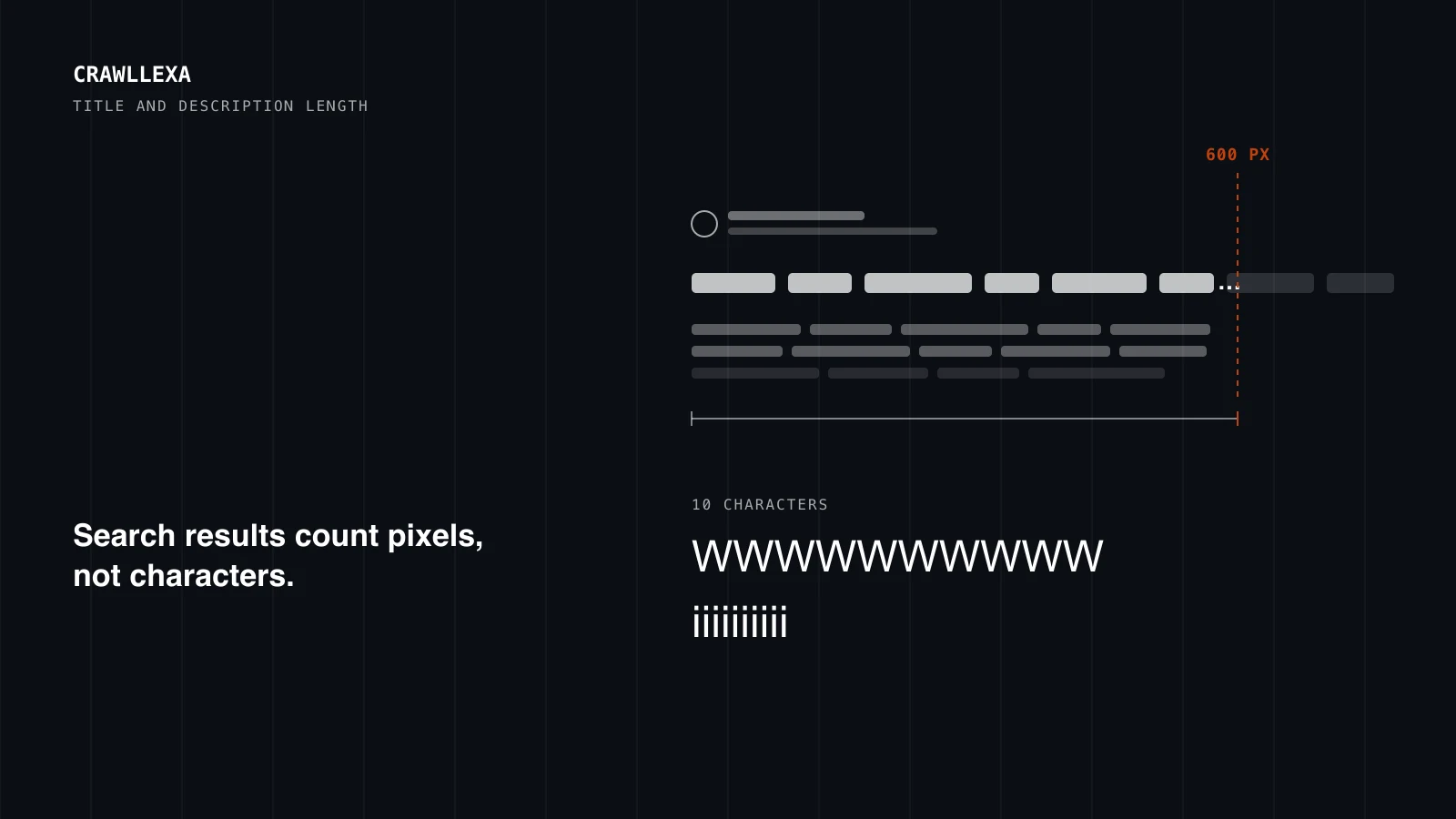
There’s no official character limit for a title tag or a meta description. Search results cut both to fit the width of the screen, so what matters is how many pixels the text takes up, not how many characters it has. In practice, a desktop result shows about 600 pixels of title, which is 50 to 60 characters for most titles, and about two lines of description, which is roughly 140 to 155 characters.
Those numbers are estimates, and this guide shows where they come from: what Google’s documentation actually says, what independent studies have measured, and what we found when we measured every title and description on our own site. It ends with a quick way to check yours before you publish.
The short answer
- Title tags: aim for 50 to 60 characters, then check the pixel width. About 600 pixels shows on desktop; anything past that is cut off with an ellipsis.
- Meta descriptions: aim for 140 to 155 characters, with the part that earns the click in the first 120 or so, because mobile results often show less.
- Neither has a limit. Google’s documentation says so for both. Truncation is about display, not a rule your page breaks.
- Length affects rewrites. In Zyppy’s study of 80,959 titles, those of 51 to 60 characters were rewritten least often, and those over 70 characters almost always.
- Check pixels, not counts. Capital letters, wide letters and Title Case all take more room. Our free SERP Preview measures both for desktop and mobile.
What Google says about length
Google’s documentation is short on numbers and clear on the principle. For titles, its guide to title links says there’s no limit on how long a <title> element can be, and that the title link is truncated as needed, “typically to fit the device width.” For descriptions, the snippet documentation says the same: no limit on a meta description’s length, with the snippet truncated to fit the device.
Two more points from those pages shape everything below:
- The title you write is a suggestion. The title link is generated automatically, from the
<title>element, the main visible title, headings, other prominent text and even the anchor text of links pointing to the page. - The description you write is optional reading. Snippets are created primarily from the page content. The meta description is used when it describes the page more accurately than text taken from the page.
Google doesn’t publish pixel widths, and it changes its layouts. The widely used figure comes from observation: Zyppy’s title rewrite study notes that desktop results typically limit titles to about 600 pixels, “often a bit more for mobile results.” Treat every number in this guide as a working estimate, not a specification.
Why pixels matter more than characters
Most fonts used on screens are proportional: each letter takes as much width as its shape needs. That makes character counts a rough proxy at best. We measured 60-character strings in 20px Arial, the size our SERP Preview uses to approximate desktop titles:
| 60 characters of | Width at 20px Arial |
|---|---|
| Capital W | 1,133 pixels |
| Lowercase m | 1,000 pixels |
| Lowercase e | 667 pixels |
| Lowercase i | 267 pixels |
Real titles aren’t made of one letter, but the effect shows up in ordinary writing too. Here’s the same 68-character title in three styles:
| The same title in | Characters | Width at 20px Arial | Fits in 600 pixels? |
|---|---|---|---|
| Sentence case | 68 | 597 pixels | Yes, just |
| Title Case | 68 | 642 pixels | No, cut after 63 characters |
| All capitals | 68 | 822 pixels | No, cut after 48 characters |
The title was “How to choose running shoes for flat feet and long distance training”, an example we wrote for the test. Capitalizing every main word added 45 pixels, and setting it in capitals added 225. A title that fits comfortably in one style can be cut in another.
These are measurements of text in a browser, not screenshots of live results, so expect small differences from what you see. The pattern holds, though: the count tells you roughly where you are, and the width tells you whether it fits.
How long a title tag should be
On desktop
We measured the titles of all 50 indexable pages on our own site. Every one is between 50 and 60 characters, and they measure 446 to 562 pixels in 20px Arial, with a median of 505. None comes close to 600. On average our titles use about 9 pixels per character, so 600 pixels works out at roughly 65 characters of typical text, and fewer if the title is in Title Case or uses a lot of wide letters.
That’s why 50 to 60 characters is a sensible target: it leaves a margin for wide words without wasting the space you have.
Length and rewrites
Length also changes how often your title is replaced. Zyppy’s study, based on 80,959 titles across 2,370 sites with data from early 2022, found:
- Titles of 51 to 60 characters had the lowest rewrite rates, around 39 to 42%.
- Titles over 60 characters had a better than 76% chance of being rewritten.
- Titles over 70 characters were rewritten 99.9% of the time.
- Very short titles, 1 to 5 characters such as “Home”, were rewritten 96.6% of the time.
So a title that runs long isn’t only cut off. It’s likely to be swapped for text Google picks from elsewhere on the page.
On mobile
On phones, titles can wrap onto a second line, which usually gives a little more room. We ran some longer example titles through our tool’s mobile model (two lines in an 18px font on a typical phone width):
| Example title | Characters | Desktop | Mobile |
|---|---|---|---|
| Running Shoes for Flat Feet: How to Choose a Pair That Actually Fits You | 72 | Cut (654 pixels) | Fits on two lines |
| Best Accounting Software for Small Businesses in 2026: 9 Options Compared | 73 | Cut (688 pixels) | Cut |
Mobile gives you a few more characters, not a different rulebook. Write to fit desktop and you’ll fit both.
How long a meta description should be
There’s no limit, and the snippet may not use your description at all. When it does, it’s cut to fit the screen. Our tool models desktop snippets as two lines of about 600 pixels in a 14px font, and mobile snippets as three lines at a typical phone width.
On our own site, the 50 indexable descriptions are 140 to 155 characters long and measure 856 to 984 pixels in total. All 50 fit within two desktop lines. On the mobile model, 18 of the 50 would be cut, after 128 to 146 characters. To see how far a long description gets, we tested a 298-character example: about 182 characters showed on desktop and about 135 on mobile.
So 140 to 155 characters is a good length, and the first 120 characters or so are the ones every visitor is likely to see. Put what the page offers, and why someone should click, at the front.
Most sites don’t get close to this. The 2025 Web Almanac found meta descriptions on only 67.7% of desktop pages and 67.2% of mobile pages, and a median length of 274 characters, far more than any result shows. Titles run long too: the median was 77 characters on desktop and 79 on mobile.
Google also notes that identical or similar descriptions on every page aren’t helpful, and that descriptions made of long strings of keywords are less likely to be shown. Length is only half of it; each description should describe its own page.
Does a cut-off title or description hurt rankings?
Not directly. Truncation is a display limit, and there’s no limit on the title element or the meta description themselves. A page doesn’t lose rankings because its title runs to 70 characters.
The costs are indirect, and they’re real:
- The words that earn the click can disappear. If your benefit, price or brand sits at the end of a long title, it’s the part that gets cut.
- Long titles invite rewrites. As the Zyppy data shows, the longer the title, the more likely it is to be replaced, and you don’t get to choose the replacement.
- A cut description can end mid-thought. A snippet that stops halfway through the key sentence does a worse job of persuading than a shorter one that finishes.
Our on-page SEO guide covers the rest of what makes a title hold, from matching the main heading to branding concisely.
How to check length before you publish
You don’t need to count anything by hand:
- Open our free SERP Preview and paste the title, description and URL.
- Switch between desktop and mobile. The preview shows where each one is cut, the pixel width against the space available, and an estimate of how likely the title is to be rewritten.
- Edit until the important words sit well inside the limit on both.
- For a whole site, use the bulk check: paste rows of URL, title and description, review the table of cut-off and duplicate titles, and download the results as a CSV.
After publishing, give the page a few weeks and look at it in the Search Console Performance report. If impressions are strong and clicks are weak, the title and description are the first things to test. Our SEO audit guide explains how to spot those pages across a whole site.
Writing titles and descriptions that fit
A few habits do most of the work:
- Lead with the topic. Put the words a searcher would use at the start of the title, and your brand at the end, after a dash or colon. If anything gets cut, it’s the brand.
- Cut filler. Phrases like “The ultimate guide to” or “Everything you need to know about” spend 20 to 30 characters saying nothing.
- Watch your casing. If a Title Case title is a few pixels over, sentence case or a shorter word often brings it back.
- Use one separator. Stacks of pipes and dashes add width and look like boilerplate. In Zyppy’s data, pipes were removed or replaced 41% of the time, against about 20% for dashes.
- Give the description specifics. Google’s documentation suggests including details like price, author or date where relevant, so the snippet tells people something concrete before they click.
- Write each one for its page. A unique title and description per page helps people choose between your results, and it helps search engines tell your pages apart.
Where this fits
Titles and descriptions are small, but they’re the first part of your page anyone sees, and they’re among the quickest on-page fixes there are. They also sit inside a bigger picture: whether the page matches what people are searching for, whether its content deserves to rank, and whether the site is easy to crawl. Our on-page SEO work covers all of it, starting with the pages that already earn impressions. To check your own titles first, the SERP Preview is free and runs in your browser.