 Crawllexa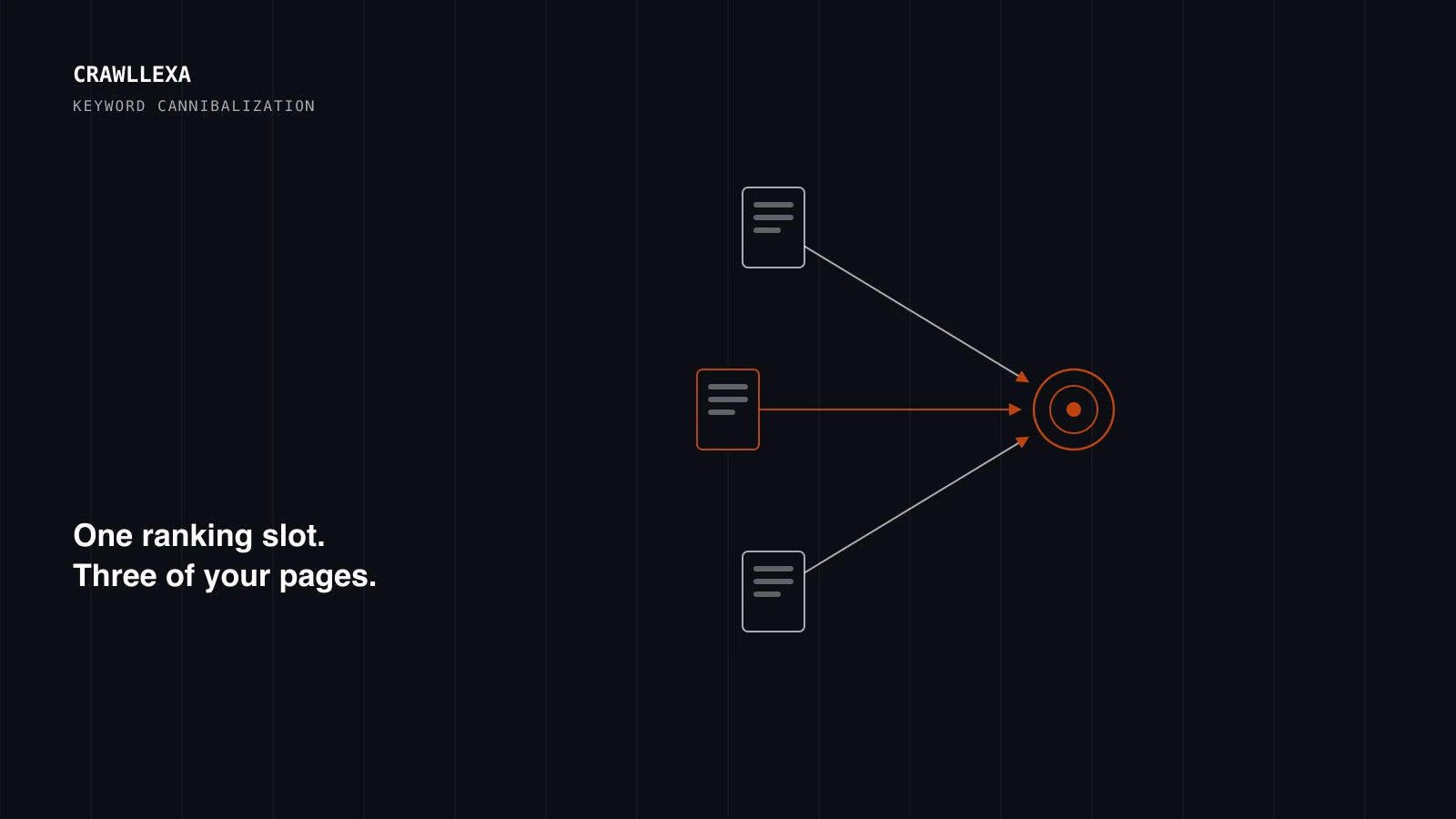
Keyword cannibalization is when two or more pages on the same site compete for the same search query, splitting ranking signals, traffic, and authority between them instead of concentrating it on one page. Instead of one strong page ranking well, you end up with two or three mediocre pages taking turns showing up, none of them ranking as well as a single consolidated page would.
It’s one of the more common issues we find during a technical SEO audit, and one of the easier ones to fix once it’s actually identified, which is usually the harder part.
How to tell if you actually have a cannibalization problem
The clearest signal comes from the Search Console Performance report. Filter by a query you care about and check which pages are receiving impressions for it. If two or more URLs show up for the same query, and the ranking position for that query jumps around between them week to week, that’s cannibalization, not coincidence.
A second signal: search the exact query yourself, or use a rank tracker, and note which of your own pages shows up. If it’s a different page than the one you’d expect, or a different page than the one that ranked last month, your site is likely competing with itself.
A third, more subtle signal shows up in your own content inventory. If you can list three or more pages that could plausibly be the answer to the same search query, you likely already have the problem, whether or not it’s visibly hurting rankings yet.
Why it happens
Feature and product page sprawl. SaaS companies in particular tend to publish a new landing page for every feature, integration, or use case, and several of those pages end up targeting nearly identical queries. We cover this in more depth on our SaaS SEO page, since it’s one of the most consistent patterns we see in that industry specifically.
Blog content published without a plan. A content calendar filled from a keyword tool, with no check against what’s already been published, regularly produces two or three posts covering the same topic from slightly different angles, none of which was ever meant to compete with the others.
Category and subcategory overlap in e-commerce. A “men’s jackets” category page and a “men’s winter jackets” subcategory page can end up targeting overlapping queries if the site architecture and internal linking weren’t planned with search intent in mind. Our e-commerce SEO work deals with this directly, since catalog sites accumulate this kind of overlap constantly as inventory changes.
Old content nobody remembered. A page published two years ago, forgotten, and never linked from anywhere current, can still be indexed and quietly competing with a newer, better page covering the same topic.
Tools you can use beyond Search Console
Search Console is the most reliable source because it reflects Google’s actual view of your site, but a few other checks are worth running alongside it.
Site search operators. Searching site:yourdomain.com "exact phrase" in Google directly shows which of your own pages are indexed for that phrase, which is a fast way to sanity-check a suspected overlap without waiting for Search Console data to accumulate.
A full site crawl. Tools like Screaming Frog can export every page’s title tag, H1, and meta description in one pass. Sorting that export and scanning for near-duplicate titles across different URLs is often how cannibalization gets spotted before it shows up clearly in performance data.
Your own internal linking audit. If several pages on the same topic all link to each other with the same anchor text, that’s frequently a sign the pages were never meant to compete but were also never given a clear hierarchy, one primary page supported by the others, rather than several pages treated as equals.
The fix, step by step
1. Audit what’s actually competing. Pull every page that ranks or has ranked for the target query, using Search Console data rather than guessing from memory. Confirm the overlap is real before making any changes.
2. Decide which page should win. Usually the page with more existing traffic, more backlinks, or the strongest current ranking is the better foundation to build on, rather than starting fresh with whichever page happens to have the newest content.
3. Consolidate or differentiate, deliberately. If both pages serve the same intent, merge the stronger content from each into the page you’re keeping, then 301 redirect the other to it, preserving whatever link equity it had. Google’s own guidance on consolidating duplicate content covers the mechanics of this well. If the pages actually serve different intents that happen to overlap on keywords, the fix is sharper differentiation, not merging: clearer titles, distinct angles, and internal links that make clear which page answers which question.
4. Fix internal links pointing to the removed page. A redirect handles external traffic and search engines, but internal links still pointing to the old URL create unnecessary redirect hops and can confuse both users and crawlers. Update them to point directly to the consolidated page.
5. Monitor for a few weeks, not a few days. Search engines need time to recrawl and re-evaluate the consolidated page. Expect the ranking picture to stabilize over several weeks, not immediately, and don’t reverse the change based on a few days of noisy data.
What not to do
Don’t merge every pair of similar-sounding pages by default. Two pages that share a keyword but serve genuinely different search intent, for example a product page and a buying-guide blog post that mentions the product, aren’t cannibalizing each other. Merging them would produce a worse page for both audiences. The diagnostic step matters more than the fix: confirm real competition for the same query before consolidating anything.
It’s also worth resisting the urge to fix cannibalization by simply deleting the weaker page outright, without a redirect. That throws away whatever ranking signal and backlinks it had accumulated, instead of transferring that value to the page you’re keeping. A redirect takes a few extra minutes and preserves value a deletion just discards.
Also worth naming: pagination and faceted navigation on e-commerce sites can look like cannibalization but usually aren’t in the way that matters. A paginated category listing or a filtered view (?color=black) generating its own URL is a separate, largely technical problem, generally solved with canonical tags and careful indexation control, not with the content consolidation approach described above. Treating it the same way as genuine content overlap usually wastes effort on the wrong fix.
Preventing it before it starts
Fixing existing cannibalization is a one-time project. Preventing new cannibalization from accumulating is an ongoing discipline, and it’s the cheaper of the two by a wide margin.
Keep a simple keyword-to-URL map. Before publishing anything new, a quick check against what already targets a similar query catches most new overlap before it’s live. This doesn’t need to be complicated, a shared spreadsheet mapping primary target queries to their designated page is usually enough for most small and mid-sized sites. Our keyword clustering guide shows how to build one from a raw keyword list.
Give every new page a stated primary intent before it’s written. A page written without a clear answer to “what specific query is this meant to win” is the most common source of accidental overlap with something that already exists.
Review this quarterly, not just at launch. Sites accumulate cannibalization gradually as new pages get added by different people over time. A quarterly pass through Search Console’s query data, checking for multiple URLs competing on the same term, catches drift early, before it compounds into a bigger cleanup project.
A real-world pattern: blog and service page overlap
One of the most common versions of this problem, worth calling out on its own, is a blog post that ends up outranking the commercial page it was meant to support.
It usually starts innocently. A service page exists for, say, “on-page SEO.” Later, a blog post gets written explaining on-page SEO in detail, partly to build topical authority, partly because it’s a natural subject to cover. Over time, the blog post accumulates more internal links, more backlinks from other sites referencing the explainer, and more time on page, and it starts outranking the service page for a query that should have converted into a lead, not just a read.
The fix isn’t to delete the blog post, since it likely still has value as supporting content and a legitimate source of organic traffic. The fix is deliberate internal linking: the blog post should link prominently to the service page with commercial-intent anchor text, both to pass authority toward the page that should convert and to make the relationship between the two pages clear to search engines. The service page, meanwhile, should be the one optimized more tightly around the exact commercial query, while the blog post owns the broader informational version of the topic. Treated this way, the two pages support each other instead of competing.
Where this fits into a broader SEO program
Cannibalization rarely shows up in isolation. It’s usually a symptom of publishing without a coordinated plan, which is exactly what a real content strategy is meant to prevent going forward: mapping content to actual search demand and checking new topics against what’s already been published, rather than adding pages one at a time with no view of the whole site.
If you suspect this is happening on your own site but aren’t sure how widespread it is, an SEO audit includes a content gap and cannibalization pass as standard, cross-referencing your actual Search Console data against your full page inventory rather than guessing from a handful of spot checks.