 Crawllexa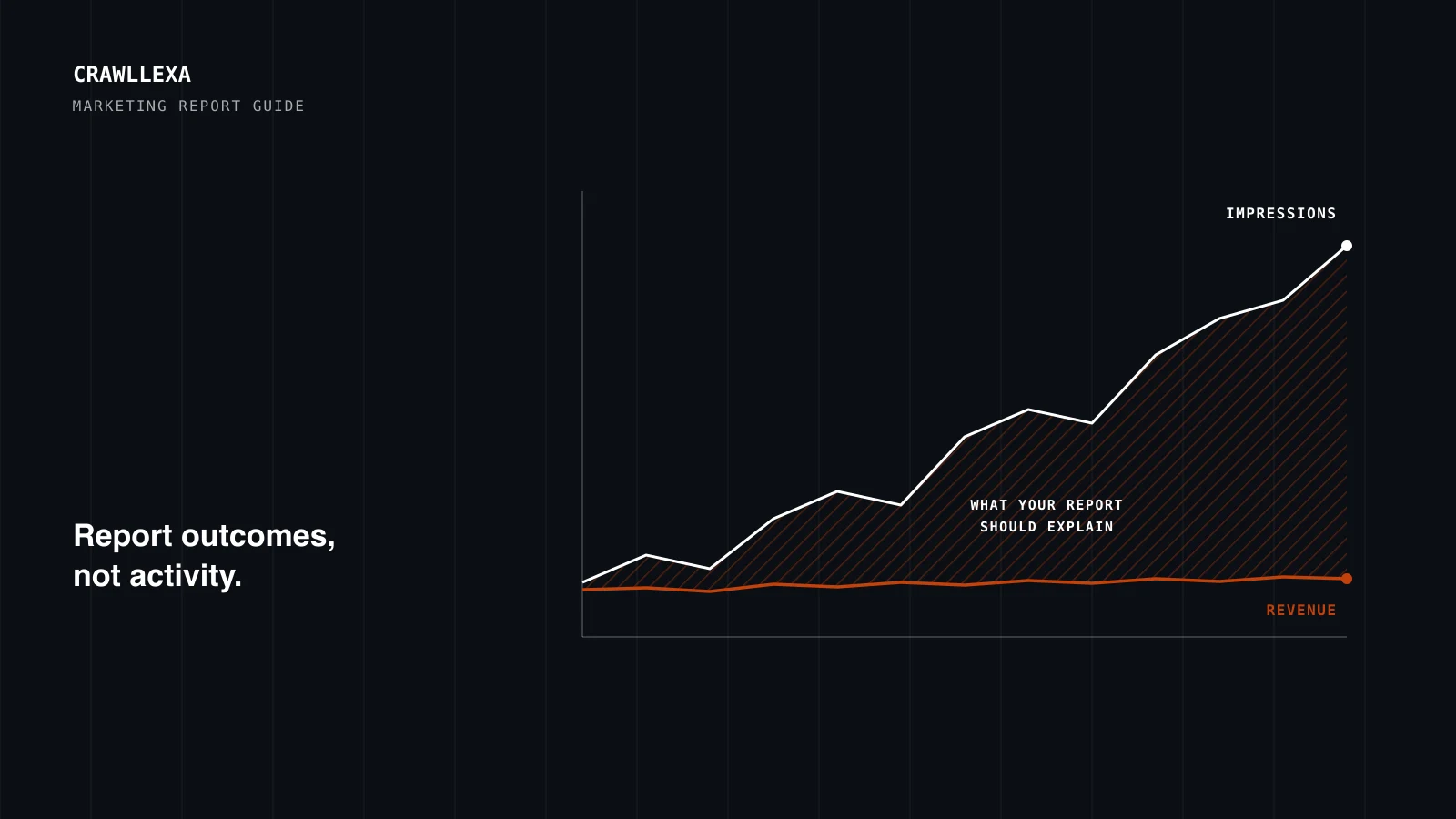
A marketing report exists to help someone make a decision: keep spending, move budget, fix something, try something new. Most reports don’t. They list numbers, such as impressions, followers, sessions and open rates, without saying what changed, why it changed, or what to do about it. The reader skims the charts, sees that most lines go up, and nothing happens.
A useful report answers three questions in order. Are we on track? Why, or why not? What should we do next? Everything in it, from the KPIs you pick to the charts you draw, should serve those three questions.
This guide walks through how to create a marketing report that does, step by step, using free tools wherever possible. It ends with a template you can adapt and the mistakes that make reports go unread.
The short version
- Start with the reader and the decision, not with the data you happen to have.
- Lead with outcomes, not activity. Leads, sales and revenue first; impressions, clicks and followers as supporting evidence.
- Give every number a comparison: against the target, the previous period and the same period last year.
- Check your tracking before you report. A report is only as good as the key events, campaign tags and channel definitions underneath it.
- Explain what happened and recommend what’s next. Numbers without an interpretation are a dashboard, not a report.
- Keep the format stable so trends are easy to read, and automate the collection, not the thinking.
- Be honest about the limits of the data: attribution, privacy and tracking gaps all leave marks.
What a marketing report is, and what it isn’t
A marketing report is a regular, written account of what your marketing achieved over a period, why, and what you’ll do next. It can cover a single channel, a single campaign or your marketing as a whole.
It isn’t a dashboard. A dashboard shows numbers, usually live, for anyone to explore. A report interprets them at a point in time and draws conclusions. You need both: dashboards for collecting and monitoring data, reports for the explanation and the decisions.
The right cadence depends on who reads it:
| Cadence | Usually for | Focus |
|---|---|---|
| Weekly | The people running campaigns | Pacing, problems to fix, tests to start or stop |
| Monthly | Owners and marketing managers | Progress against the plan, what changed and why |
| Quarterly | Leadership, budget holders | Return on spend, strategy and budget for the next quarter |
Step 1: Decide who it’s for and what decision it supports
Write down who reads the report and the questions they need answered before you open a single tool. An owner of a small business usually needs to know whether marketing is paying for itself and where the next dollar should go. A marketing manager needs to know which campaigns to scale, fix or stop. A specialist needs the diagnostic detail to do that work.
Turn those needs into three to five questions the report must answer every time. For example:
- Are we on track for this quarter’s sales or lead target?
- Which channels are producing customers, and at what cost?
- What changed since last month, and why?
- What should we change next month?
If a chart doesn’t help answer one of the questions, it belongs in the appendix or nowhere.
Step 2: Choose KPIs that connect to business goals
Marketing metrics fall into three layers, and a good report keeps them in that order:
| Layer | What it measures | Examples | Where it goes in the report |
|---|---|---|---|
| Business outcomes | What marketing delivered to the business | Revenue, customers, qualified leads, pipeline | The summary |
| Marketing KPIs | How efficiently it got there | Cost per lead, cost to win a customer, conversion rate, return on ad spend | The summary and channel sections |
| Channel diagnostics | Why a channel performed the way it did | Impressions, click-through rate, rankings, email clicks, engagement | Channel sections and the appendix |
Pick three to five KPIs for the summary, and keep them the same from one report to the next so trends mean something. Which ones depends on the business:
- Lead generation: qualified leads, cost per lead, lead-to-customer conversion rate, revenue from marketing-sourced customers.
- Online store: revenue, orders, conversion rate, average order value, return on ad spend, cost to win a new customer.
- Local service business: calls, bookings and form enquiries, and the cost of each.
Diagnostic metrics still matter, but as evidence, not headlines. Impressions can climb while revenue stays flat, and a report that leads with impressions will call that a good month. A report that leads with revenue will ask why the extra visibility didn’t turn into customers, which is the question that leads somewhere.
Step 3: Check the data before you report it
Most bad reports aren’t badly written. They’re built on broken tracking. Before you trust a number, check what produces it.
Key events. In Google Analytics, the actions that matter, such as form submissions, calls, sign-ups and purchases, need to be tracked as events and marked as key events, Google Analytics’ term for the actions that matter most to your business. On our own site, for example, every enquiry, from the contact form or the free audit request, is recorded as a generate_lead key event, counted once per visit, so the report counts enquiries rather than page views. Test each key event yourself before reporting on it.
Campaign tags. Links you control in emails, social posts and ads should carry campaign parameters, so their visits are credited to the right source. Google’s documentation on campaign URLs says to always use utm_source, utm_medium and utm_campaign, and to keep naming strictly consistent. The values are case-sensitive: “Meta” and “meta” become two different sources. Write a short naming convention and stick to it, and never tag links between pages on your own site.
Channel definitions. Google Analytics sorts traffic into channels such as Organic Search, Paid Social and Email using rules based on source and medium. Visits that match no rule land in a channel called Unassigned, which is usually a sign of inconsistent tagging. A large or growing Unassigned row is worth fixing before the next report.
One source of truth per KPI. An ad platform’s conversions, an analytics key event and a lead in your CRM are three different counts of related things. Decide which tool owns each KPI, such as the CRM for qualified leads or your store platform for revenue, and say so in the report.
Known limits. Some gaps are built in, and the report should mention them where they matter:
- Google Analytics may withhold rows with too few users, especially for demographic data; a longer date range often helps.
- Its data retention setting limits how far back explorations and funnel reports go, but doesn’t affect standard reports.
- Visitors who decline tracking cookies may be missing from analytics data, but they still show up in Search Console, which counts clicks from search results without a tag on your site.
- Email open rates have become unreliable. Apple’s Mail Privacy Protection prevents senders from seeing whether a message was opened, so report email on clicks and the actions that follow.
Step 4: Pull the numbers from each source
| Source | What it tells you | Watch out for |
|---|---|---|
| Google Analytics | Visits, key events and revenue by channel, campaign and landing page | The reporting attribution model, data thresholds, gaps from declined consent |
| Search Console | Organic search clicks, impressions, queries and average position | Clicks won’t match analytics sessions exactly, and it uses Pacific Time |
| Ad platforms | Spend, clicks and conversions by campaign | Each platform credits its own ads, using its own attribution settings |
| Email platform | Deliveries, clicks, unsubscribes and revenue per send | Open rates distorted by privacy features |
| Social platforms | Reach, engagement, followers and link clicks | Engagement isn’t revenue; link clicks are the bridge to your site |
| CRM or store platform | Leads, customers, pipeline and revenue by source | Source fields left blank or overwritten by hand |
Expect the tools to disagree. Google’s guide to using Search Console and Analytics together says even the most similar metrics, clicks and sessions, won’t match exactly, and lists reasons including missing tags, declined consent and time zones. What matters is that the trends move together. A small gap is normal; a large one is a tracking problem to investigate.
Step 5: Give every number context
A number on its own can’t be judged. A month with 300 leads could be a record or a disaster, depending on the target and on last year. Give each KPI three comparisons:
- Against the target, so the reader knows whether it’s good enough.
- Against the previous period, so they can see the direction.
- Against the same period last year, so seasonality doesn’t masquerade as progress or failure. Search Console keeps 16 months of data, enough for a year-over-year view.
Then record what happened in the period. Campaign launches, price changes, site updates, tracking fixes and holidays all move numbers, and a month later nobody remembers the dates. Both Google Analytics and Search Console now let you add annotations directly to their charts; Search Console introduced custom annotations in November 2025 for exactly this, such as template changes, migrations or hiring an agency.
Show trends, not just the latest figure. A line covering the last twelve months says more than a single number with a green arrow.
Step 6: Explain what happened
This is the step that turns data into a report. For each important change, write three things: what happened, why you think it happened, and what it means. A report might say, for example: “Organic leads rose against both last month and last year. Most of the increase came from the two service pages rewritten in June, which now appear for more searches, so the remaining service pages should get the same treatment.”
Be clear about what you know and what you suspect. “Leads from paid social fell after we changed the audience” is an observation. “The new audience is worse” is a hypothesis until a test confirms it.
Attribution needs particular care, because it decides which channel gets credit. Google Analytics offers three attribution models: data-driven, paid and organic last click, and Google paid channels last click. All three exclude direct visits from credit unless the whole path was direct. The reporting attribution model you choose changes key event credit in reports that use event-level dimensions, while reports built on session-level dimensions, such as session source, aren’t affected. The practical consequence: the same channel can show different key event counts in different reports. Choose one view for your report, say which, and don’t mix models between months.
Data-driven attribution can also reassign credit for up to seven days after a key event, so the last week’s figures may still shift. Pull the numbers a few days after the period ends, or note that recent figures are provisional.
Step 7: Recommend what to do next
Every insight should end in an action, an owner and a date. A simple format works: what we’ll keep doing, what we’ll change, and what we’ll test.
- Keep: what’s working, and whether it can take more budget.
- Change: what isn’t working, and the specific fix.
- Test: what you’re unsure about, with the result that would settle it.
Next month’s report starts by checking these actions. That’s what makes reporting a loop rather than a ritual.
Step 8: Put it together
A marketing report that gets read is short at the front and complete at the back. This template works for most small and growing businesses:
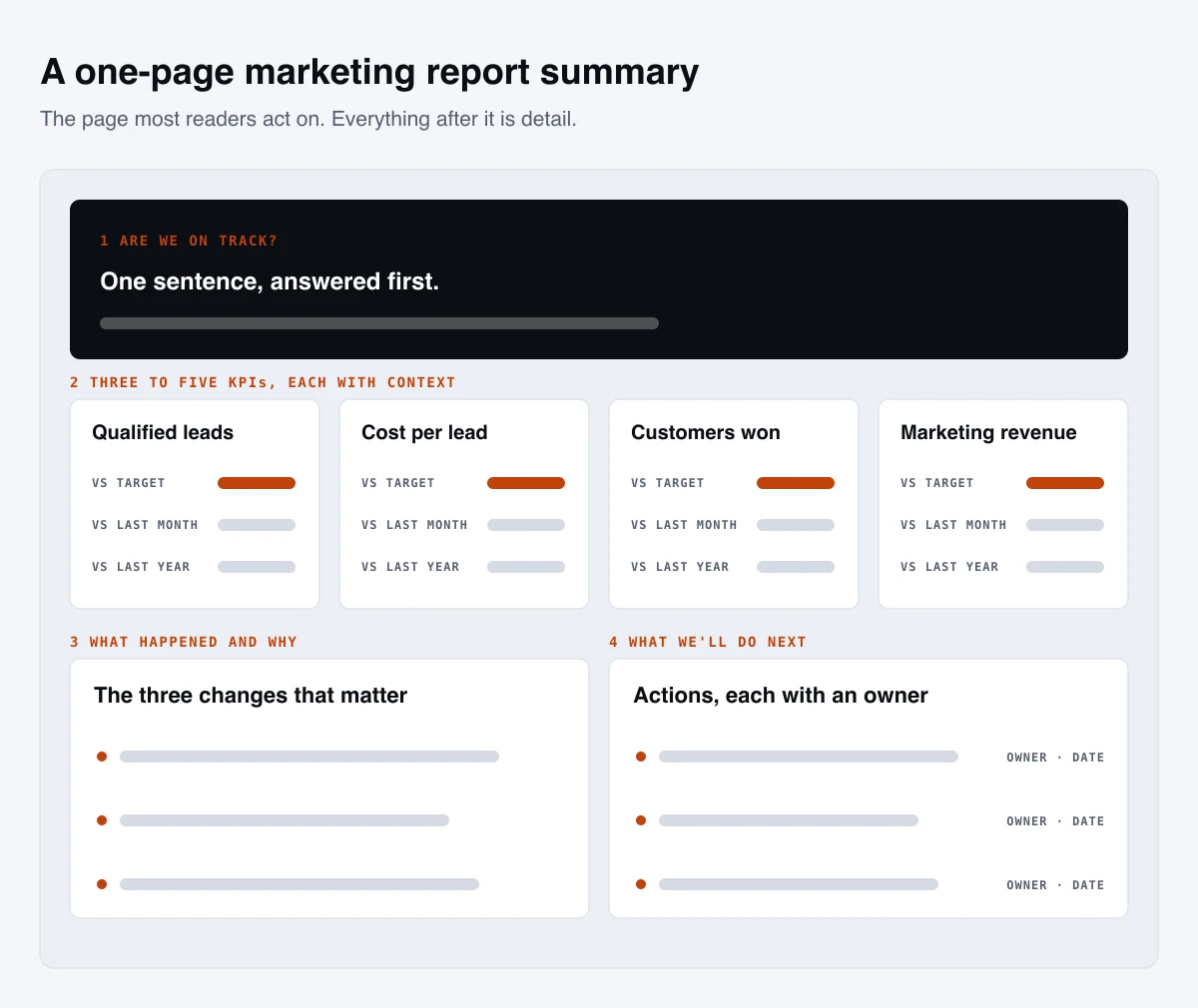
- Summary, one page. One sentence on whether marketing is on track. Three to five KPIs against their targets, the previous period and last year. The three most important things that happened, and the three most important actions.
- Results by channel. The same structure for each channel: its contribution to the KPIs, its cost and efficiency, what changed, and what’s next.
- Campaigns and tests. What launched, what was tested and what each result means.
- Actions. Everything recommended, with owners and dates, plus the status of last period’s actions.
- Appendix. Definitions of each metric, data sources, the attribution model, tracking changes and annotations, and full tables for anyone who wants the detail.
A few presentation rules make it easier to read:
- Use line charts for trends, bars for comparisons between channels or periods, and tables for exact figures.
- Label what matters on the chart itself, such as the target line or the date of a launch, instead of explaining it in a separate paragraph.
- Keep the layout the same every period. Readers learn where to look, and changes in the numbers stand out instead of changes in the format.
Step 9: Automate the collection, not the thinking
Collecting numbers by hand every month is slow and error-prone. Data Studio, Google’s free reporting tool, which was called Looker Studio until recently, can pull Google Analytics, Search Console and Google Ads data into one dashboard, and it can email a PDF of the report on a schedule. Most other platforms can export to a spreadsheet or connect through a third-party connector.
Automate the charts and tables, then write the summary, the explanations and the actions yourself. That part can’t be automated well, because it depends on knowing what happened in the business: a stock shortage, a price change or a new competitor won’t show up in any data feed.
Common marketing report mistakes
- Leading with vanity metrics, such as impressions and followers, instead of the outcomes they’re supposed to produce.
- Reporting numbers without targets or comparisons, so nobody can tell good from bad.
- Changing the metrics every month, which makes trends impossible to follow.
- Adding up conversions from every ad platform, which counts the same customer more than once when several platforms claim them.
- Reporting on tracking that nobody has tested, so the report measures the gaps in the data rather than the marketing.
- Explaining without recommending, which leaves the reader with information and nothing to do with it.
- Burying the summary under pages of channel charts.
How we approach reporting
Our analytics and CRO work starts where most reports should: checking that tracking is accurate before anyone reads a number from it. From there, our monthly reporting states what changed and what it did, rather than sending a screenshot of a traffic graph, and ties SEO, PPC, social and email to the same revenue numbers, so channels are judged on one scale. If your current reports show plenty of numbers and very few decisions, that’s the gap we’d start with.